
Exports in the toolbar
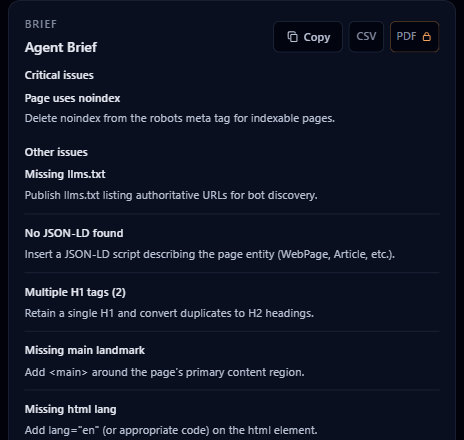
Copy brief and CSV export are free. PDF export requires a Pro license.

BotScore
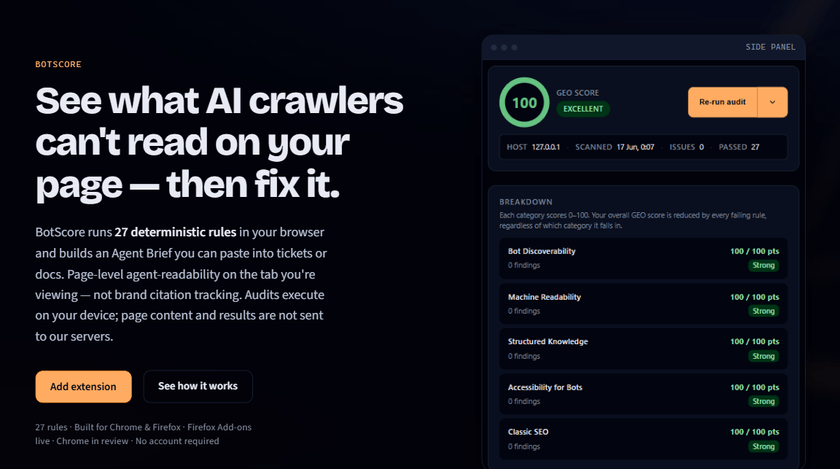
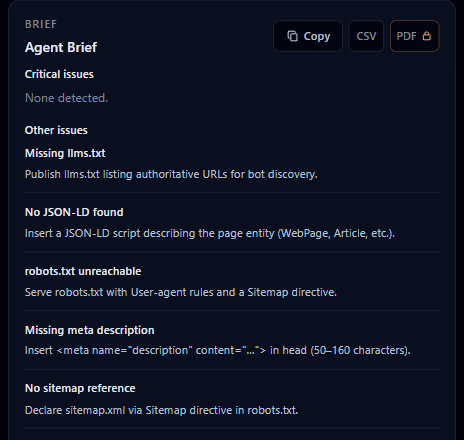
BotScore runs 27 deterministic rules in your browser and builds an Agent Brief you can paste into tickets or docs. Page-level agent-readability on the tab you're viewing | not brand citation tracking. Audits execute on your device; page content and results are not sent to our servers.
GEO
Classic SEO tools focus on rankings and links.
Generative Engine Optimization (GEO) asks whether AI crawlers such as
GPTBot, ChatGPT-User, Anthropic, Perplexity, and Google-Extended can find
and parse your content. Many rely on initial HTML rather than a
post-hydration DOM—BotScore fetches same-origin initial HTML,
robots.txt, llms.txt, and llms-full.txt, then
compares fetched HTML to the live page for CSR-aware warnings.
If your headings and copy only exist after hydration, many crawlers never see them | regardless of how the page looks in Chrome.
Five audit categories: Bot Discoverability, Machine Readability, Structured Knowledge, Accessibility for Bots, and Classic SEO—27 built-in rules, same result every run.
BotScore runs 27 deterministic rules in your browser and builds an Agent Brief you can copy | what passes, what fails, and what to fix before LLM crawlers and agents parse your page.
How it works
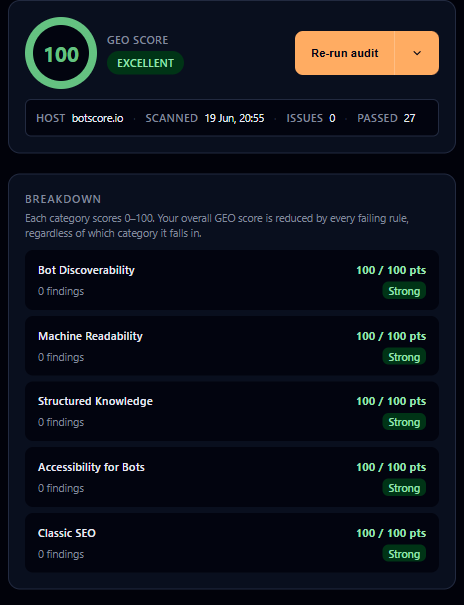
Open a tab, read your GEO score, copy the Agent Brief, fix what failed, and re-audit. We dogfooded the whole loop on botscore.io.
Any https:// tab you want to check.
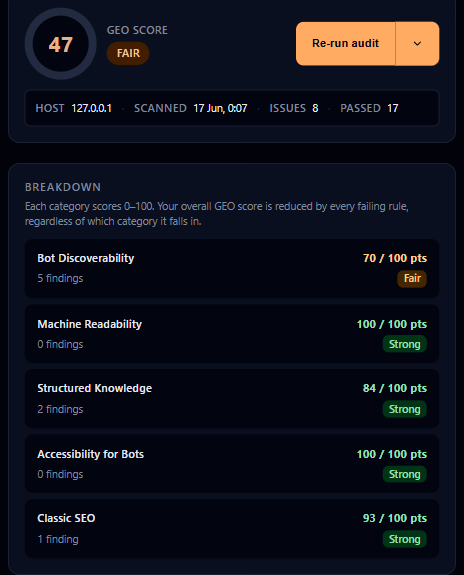
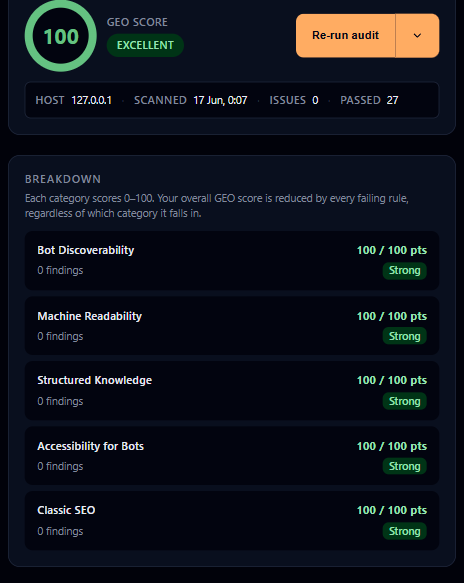
Open the side panel (Chrome) or sidebar (Firefox). Our first botscore.io audit scored ~47, with clear category gaps to fix.
Copy a Markdown Agent Brief into tickets or your editor—a structured list of issues and fixes.
Ship GEO fixes on your site, then re-run the audit. We dogfood on botscore.io—from ~47 to 100.
Features
Full single-tab audits are free on v1.0.6. Pro unlocks saved custom checks, bulk tab audits, PDF export, and higher save limits. Screenshots match the extension— add the extension from Chrome Web Store or Firefox Add-ons.
Copy brief and CSV export are free. PDF export requires a Pro license.
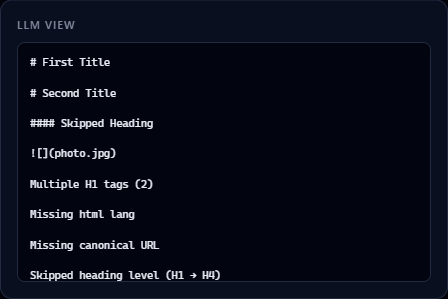
See how the active tab converts to plain text—the view many crawlers get before JavaScript runs.
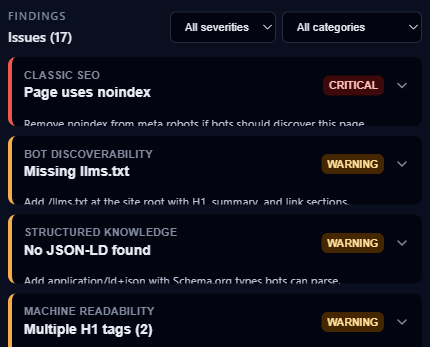
Browse every rule failure by severity and category. Expand any row for the fix guidance bots need.
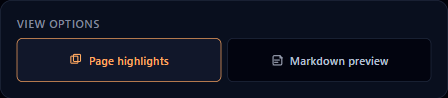
Toggle on-page overlays to see which elements fail bot-readability rules—no extra install step.
Save audits locally and compare before/after fixes. Free: two slots. Pro: eight. Team: sixteen—scroll the row when your plan allows more saves.

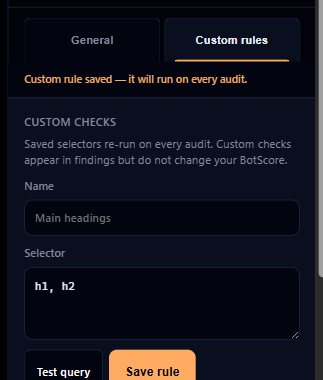
Test CSS selectors on the active tab for free. Pro saves up to eight custom checks (Team: sixteen) and re-runs them on every audit. Findings are advisory—they do not change your BotScore.
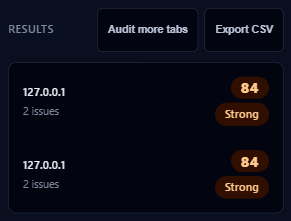
Audit up to eight http(s) tabs in one window (Team: sixteen). Cancel mid-run, open any result in the panel, and export a summary CSV. Requires Pro or Team.
Pricing
Start for free on Chrome Web Store or Firefox Add-ons. Get Pro | monthly or annual | license key after purchase; no account.
Start here
 Free
Free
v1.0.6
$0
 Pro
Pro
v1.0.6
$19 / mo
 Team
Team
Not at launch
$79 / seat / mo
Per-seat license | up to 5 browser activations.
Enterprise
Planned
Contact us
Shared rules, workspaces, and CI/CD—custom terms.
| Feature | Free | Pro | Team | Enterprise |
|---|---|---|---|---|
| Built-in rules | 27 | 27 | 27 | 27 |
| Agent Brief (copy) | Included | Included | Included | Included |
| Page highlights | Included | Included | Included | Included |
| Markdown preview | Included | Included | Included | Included |
| Test custom rules | Included | Included | Included | Included |
| Saved comparison slots | 2 | 8 | 16 | 16 |
| Save custom rules | Not included | 8 | 16 | 16 |
| Export CSV | Included | Included | Included | Included |
| Export PDF | Not included | Included | Included | Included |
| Shared workspaces | Not included | Not included | Not included | Planned |
| Shared custom rulesets | Not included | Not included | Not included | Planned |
| Bulk tab audits | Not included | Up to 8 tabs | Up to 16 tabs | Up to 16 tabs |
| Bulk audit CSV export | Not included | Included | Included | Included |
| CI/CD API | Not included | Not included | Not included | Planned |
Enterprise is sold via contact sales. Planned rows are on the roadmap.
FAQ
Scores, privacy, plans, and how BotScore differs from DevTools—before you install.
BotScore is a browser extension that audits the page in your active tab for bot and LLM readability. 27 deterministic rules across five categories score a 0–100 GEO score, list issues with fix guidance, and let you copy an Agent Brief in Markdown. Runs locally; nothing is uploaded.
GEO is the practice of making pages legible to AI crawlers and answer engines—not only
traditional search rankings. BotScore measures GEO with rules for discoverability
(llms.txt, llms-full.txt, robots, sitemap, canonical),
machine-readable HTML and DOM drift, structured data, accessibility signals bots rely
on, and classic SEO metadata.
BotScore runs 27 deterministic rules across five categories. Your GEO score starts at 100 and subtracts rule penalties (capped at 100 points lost). Category bars show per-category deductions. The panel lists which rules passed, warned, or failed so you fix the highest-impact issues first.
No. Audits execute in the extension on your device. BotScore does not send your HTML
or audit results to our servers. The extension may fetch the page URL, initial HTML,
robots.txt, llms.txt, and llms-full.txt from
the site you are viewing—same origin only. Pro license activation validates your key
with our license server; no page content is sent.
On Chrome, BotScore asks once before your first audit. Site access
lets the extension inject the audit script and read same-origin files (initial HTML,
robots.txt, llms.txt, llms-full.txt) only on
pages you audit—not in the background. Nothing is sent to BotScore servers. Firefox
does not show this prompt; the permission is included at install.
Firefox shows “Read and modify data on all websites” at install because the
extension declares host access in its manifest. BotScore only uses that access when you
run an audit on a tab you opened | to read the page DOM and fetch same-origin files
(initial HTML, robots.txt, llms.txt,
llms-full.txt). It does not run in the background or scan sites you never
audit. Nothing is sent to BotScore servers. Chrome asks for the same access once, before
your first audit, instead of at install.
No. BotScore does not collect telemetry, analytics, or browsing history. Audits run entirely in your browser; page HTML and audit results are not sent to BotScore servers. License validation sends only your Lemon Squeezy license key and a device instance id to our validation endpoint | not page content.
Chrome and Firefox (Manifest V3). Chromium builds use the side panel; Firefox uses the sidebar action. Install links are on this page and in the install dialog.
Any normal https:// web page you can open in a tab. Browser internal
pages (chrome://, the extension UI, etc.) cannot be audited.
A Markdown summary of the audit: GEO score, tier, category breakdown, critical issues, and warnings. Copy brief and CSV export are free. PDF export requires a Pro license.
Free: full 27-rule audit, GEO score, filterable issues, Agent Brief copy, page highlights, markdown preview, CSV export, test custom selectors (save requires Pro), bulk tab preview (run requires Pro), and two saved comparison slots. No account, no telemetry.
Pro (license required, $19/mo or $189/yr billed annually): eight comparison slots, up to eight saved custom rules, PDF export, bulk audits on up to eight tabs, and license activation in Settings. Custom checks are advisory—they do not change BotScore. One license per browser.
Team (planned, $79/seat/mo): everything in Pro with higher caps—sixteen comparison slots, up to sixteen custom rules, bulk audits on up to sixteen tabs. Per-seat license with up to five browser activations. Get notified when Team checkout is live.
Enterprise (planned): shared workspaces, shared rulesets, and CI/CD headless API—contact [email protected] for custom contracts.
Click Get Pro on this page to check out via Lemon Squeezy. You will receive a license key by email. Open BotScore → Settings → General, paste the key, and click Activate license. Activation validates your key with our license server—no page content is sent. Pro unlocks on this browser—one license per install. Email [email protected] if you need help.
Pro is sold through Lemon Squeezy | there is no BotScore login. Manage billing from BotScore → Settings → Manage subscription (when Pro is active), the link in your purchase receipt email, or Lemon Squeezy’s customer portal. Cancel anytime; your license stays active through the end of the paid period. Refund policy: botscore.io/refund.html. Questions: [email protected].
Install from the official extension stores:
Chrome:
Chrome Web Store
Firefox:
Firefox Add-ons
There is no other download.
Lighthouse scores performance and some SEO basics for humans in DevTools. Traditional SEO
suites focus on rankings, backlinks, and campaigns. BotScore is built for
agent-readability: llms.txt, llms-full.txt,
AI bot robots rules, semantic structure, JSON-LD, DOM drift, accessible names, and how
crawlers see your initial HTML.
Traditional tools score your post-hydration DOM. BotScore compares your raw HTML to your hydrated DOM to tell you exactly what AI crawlers are missing.
Privacy
Audits run on your device. The extension only fetches what it needs from the page you are viewing—and this site ships without analytics.
Scoring runs in the extension. We do not receive your HTML or audit results.
The extension may fetch the page URL, initial HTML, robots.txt,
llms.txt, and llms-full.txt from the site you are
viewing—same origin only.
This marketing site is static HTML. We do not use analytics scripts on botscore.io.